 Shalitha Suranga Programmer | Author of Neutralino.js | Technical Writer Table of contents
 - Context as the primary multimodal design variable
- Mode prioritization vs. mode overload
- Designing smooth context transitions
- Avoiding mode confusion
- FAQs
 Introducing Galileo AI LogRocket’s Galileo AI watches every session, surfacing impactful user struggle and key behavior patterns. LEARN MORE
 Designers add multiple communication channels like visual, voice, vision, sensing, and haptics by using touchscreen, keyboard, mouse, microphone, speakers, camera, sensors, and haptic devices during multimodal UX implementations. But multimodal UX isn’t solely about adding more communication channels — it’s about making multiple communication channels cooperative and switching them seamlessly based on context, to optimize UX.
Let’s understand how to create better multimodal systems by understanding multimodal design context and optimally switching communication modes with smooth, natural transitions.
Context as the primary multimodal design variable
In multimodal design, the mode context refers to situational, behavioral, system, environmental, or task-related factors that influence the most comfortable, efficient, and safe interaction mode:
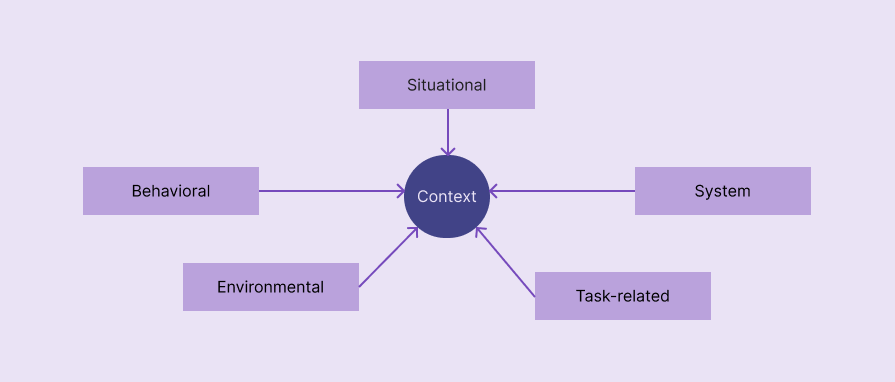 Factors that define mode context in multimodal products.
 Here are some examples of mode context:
- When the user is cooking, driving, or doing any other activity that limits screen interaction, the mode context is “hands-free” or “reduced screen interaction”
- When the device is in silent mode, the multimodal app context is also “silent”
- If a barcode scanner fails or the camera is restricted due to a very low battery level, the context becomes “vision fallback”
You can decide when to change the interaction mode and choose the optimal mode by considering context as the primary design variable.

Over 200k developers and product managers use LogRocket to create better digital experiences
 Learn more →
 Mode prioritization vs. mode overload
While activating multimodal communication modes for users, you should optimally prioritize the most suitable mode with a fallback to the default mode to avoid mode overloading:
| Comparison factor | Mode prioritization | Mode overload |
| Summary | Prioritizes a mode over all available communication modes based on the context. The mode is activated automatically or suggested | All available communication modes are pre-activated by default or presented all at once for selecting one |
| UX impact | Optimizes user productivity by also ensuring safety since the most suitable mode is pre-selected based on the context | Confuses the users since they struggle to decide how to interact, to find which mode is active, and to find the most suitable mode |
| Leads to | User satisfaction and productivity boost | User frustration and productivity issues |
Mode overloading confuses users and negatively affects overall UX, so the goal is to use context to prioritize modes and select the optimal mode.
Designing smooth context transitions
Multimodal context doesn’t stay fixed all the time— it can often change based on situational, behavioral, environmental, system, and task-related factors. The user should also have the freedom to switch to a preferred interaction mode during a user flow.
Context changes frequently, so smooth context transitions are mandatory to offer a satisfying UX. Consider adhering to the following best practices to create smooth context transitions:
- Save state and intent — Don’t reset the user’s progress in a specific user flow — help the user seamlessly continue with the new interaction mode without losing the current user flow progress
- No sudden UI shifts — Use the same general look and feel in different interaction modes for UI consistency, but with necessary adjustments, e.g., Google Maps’ driving mode uses the same core Google Maps design, but uses minimal driving-context-focused features
- Context switching feedback — Let the user know the interaction mode has changed to avoid confusion, using mode-specific indicators or messages
- No mode lock-in — Offer a clear, practical way to change the interaction mode or go back to the primary mode quickly
Avoiding mode confusion
Mode confusion refers to the user failing to identify the current interaction mode or struggling to select the most suitable mode. Mode confusion affects user productivity and overall UX, frustrating users.
Here are some example scenarios:
- The user fails to notice that voice mode isn’t active in a chatbot, speaks a voice command, and nothing happens.
- A fitness app asks the user to select gestures, voice, or touchscreen for interaction, and the user struggles to decide which is most suitable
You should improve present-mode awareness by using context-switching feedback and indicators to prevent mode confusion.
FAQs
Here are some common questions about context switching in multimodal UX design:
How to understand all possible multimodal contexts for my digital product?
Consider doing a UX research focused on user interaction preferences under various situations, user behaviors, environments, specific system configurations, and all available tasks.
Can the user switch interaction modes manually?
Yes, the user should have the freedom to select the preferred interaction mode, since, in some scenarios, the assumed context might need to be switched manually, e.g., your friend temporarily deactivates the gesture-enabled cooking app to browse another recipe.
Should the product or the user trigger the mode context switching?
If context detection is reliable and accurate and the new mode is a natural way to complete the current task, the product should; otherwise, the user should. If you let the user select a mode, make sure to prioritize one mode to avoid mode confusion.
LogRocket helps you understand how users experience your product without needing to watch hundreds of session replays or talk to dozens of customers.
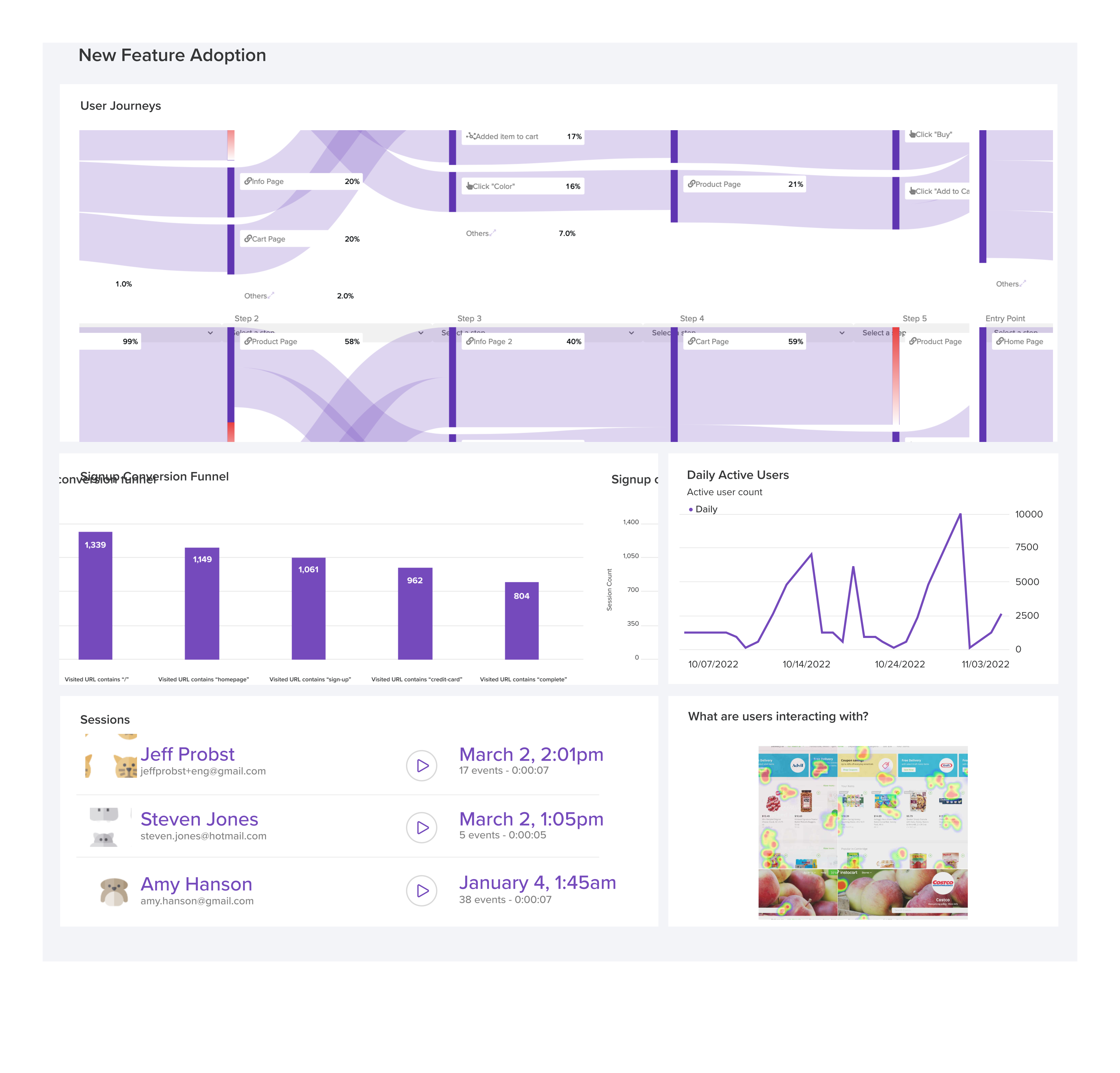
LogRocket's Galileo AI watches sessions and understands user feedback for you, automating the most time-intensive parts of your job and giving you more time to focus on great design.
See how design choices, interactions, and issues affect your users — get a demo of LogRocket today.
- #ux design



Stop guessing about your digital experience with LogRocket
Get started for freeRecent posts:

Cross-product navigation is broken — here’s how to fix it
As products evolve into ecosystems, navigation becomes a system-level challenge. This article explores how to align structure, context, and user journeys to create seamless movement across tools without confusion.
 Eric Chung Apr 24, 2026 ⋅ 9 min read
Figma AI in 2026: Everything it can do — and what it still can’t
Figma’s AI features have exploded in 2026 — from text generation and image editing to full UI drafts and code handoff. But speed isn’t the same as quality. This guide breaks down every major feature, what it’s good at, and where human judgment still does the heavy lifting.
 Bart Krawczyk Apr 21, 2026 ⋅ 8 min read
Why multimodal UX is a more practical future than Zero UI
Zero UI works well for screenless, voice-first experiences, but most digital products still require visual interaction. Here’s why multimodal UX offers a more scalable foundation for the future of design.
Shalitha Suranga Apr 16, 2026 ⋅ 3 min read 
5 principles for designing context-aware multimodal UX
Multimodal UX goes beyond designing for screens. Learn how context-aware systems, progressive modality, failover modes, and accessibility-first design create better digital product experiences.












Comments
0 comment